
Selecting the right software for As-Built plans and models is one of the most important decisions you can make at the start of a remodel or renovation project. The platform you choose affects team collaboration, file compatibility, and how well accurate site data carries through from existing conditions into design.
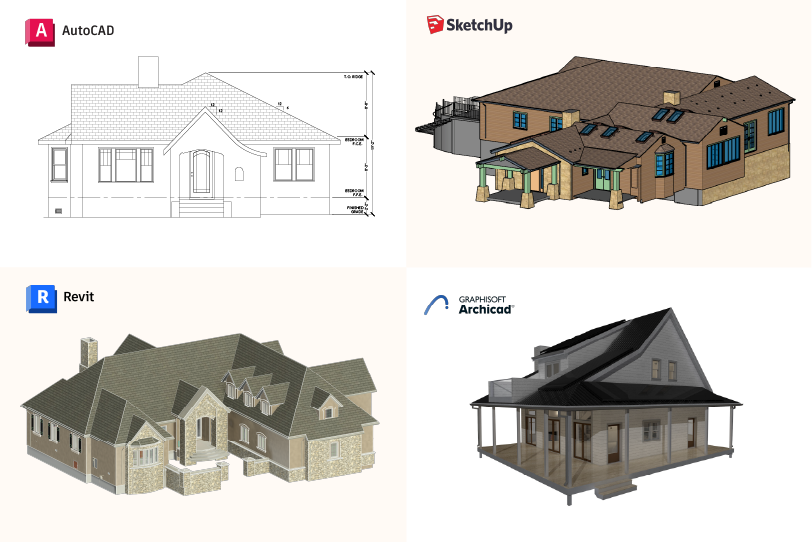
Precision Property Measurements (PPM) delivers As-Built drawings and models in AutoCAD, Revit, Archicad, and SketchUp. This guide explains the strengths of each platform, when to use them, and how PPM helps ensure your deliverables are accurate, consistent, and ready for immediate use in your workflow.
Why As-Builts Are Evolving Beyond Traditional Drawings
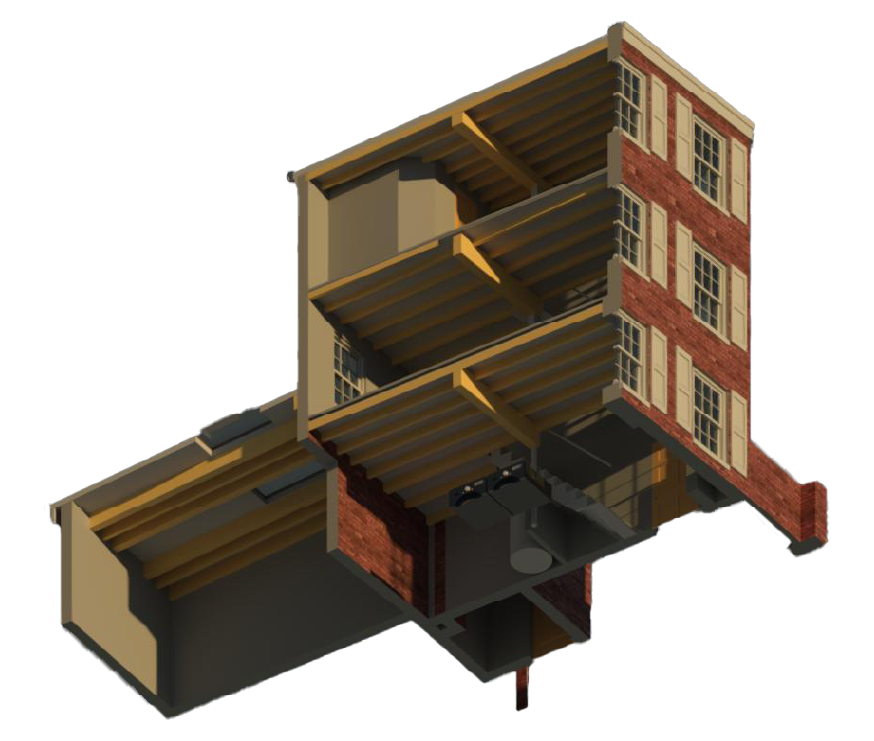
As-Builts today are more than linework on a page. Modern projects depend on intelligent, data-rich models that capture verified site conditions and support multiple stages of a project. This includes design development, clash detection, sequencing, construction coordination, and facility planning.
A model-based approach improves:
Collaboration
Every team works from a shared, accurate representation of the space.
Accuracy and risk mitigation
Comprehensive site data reduces rework, change orders, and surprises.
Long-term usability
Models carry forward into future phases and are easier to update over time.
This shift is why PPM has expanded from 2D AutoCAD drawings to reliable 3D As-Built models that meet BIM standards and support a stronger, more flexible foundation for design.
Why Software Choice Matters
The software you choose influences how information is documented, shared, and used across your entire project. The right platform supports smooth collaboration and reduces the risk of costly errors.
Project Accuracy
Complex projects often require more than 2D documentation. Choosing a platform that does not match the scale of the project can lead to missing details or incomplete information.
Collaboration and File Compatibility
If teams use different software systems, you may face conversion issues, outdated drawings, or inconsistent data. Choosing the correct platform helps everyone stay aligned.
Scalability
If your firm plans to adopt BIM workflows in the future, starting with software that supports that progression can reduce rework later.
PPM guides clients through these decisions to ensure each project starts with the most effective software for its goals and complexity.
Comparing the Platforms: AutoCAD, Revit, Archicad, and SketchUp
Below is a clear, practical breakdown of how these tools differ and when each one makes the most sense for As-Built deliverables.

AutoCAD (2D As-Built Plans)
Best for:
Residential remodels, smaller commercial spaces, permit drawings, and documentation that does not require multi-discipline coordination.
Strengths:
- Clean and reliable 2D documentation
- Precise control over layers, linework, and annotations
- Widely used and compatible across municipalities
- Ideal when the next phase only requires existing conditions in 2D
PPM Advantage:
PPM produces 2D As-Builts directly from point cloud data to ensure accuracy, completeness, and drafting consistency. This reduces the risk of missing dimensions or incorrect conditions that often appear when 2D plans are drafted manually or without a verified point cloud.

Revit (Full BIM As-Built Models)
Best for:
Large commercial buildings, multi-story renovations, multi-discipline projects, and work involving architects, MEP engineers, structural teams, or construction managers.
Strengths:
- Centralized model for architecture, structure, and MEP
- Ideal for clash detection and advanced coordination
- Supports detailed modeling and attributes
- Improves communication between design and construction teams
PPM Advantage:
PPM builds Revit models from verified field measurements using a standardized BIM workflow. Every wall, level, opening, and system is placed based on real site data. The result is a model that integrates cleanly with downstream consultants and reduces errors that lead to redesigns or delays.

Archicad (Architect-Focused BIM)
Best for:
Architect-led renovation projects, boutique commercial designs, and studios that prioritize smooth visualization and design-focused modeling.
Strengths:
- Intuitive modeling environment
- Strong visualization and presentation capabilities
- Excellent for iterative design
- Preferred by many design firms and smaller teams
PPM Advantage:
PPM creates Archicad models that are visually clear, reliably accurate, and structured the same way across all projects, giving architects a familiar and dependable starting point. This helps architects begin design immediately and supports clear communication with clients and contractors.

SketchUp (Conceptual and Early-Stage Models)
Best for:
Concept design, interior layouts, small commercial projects, and residential planning where speed and visualization are top priorities.
Strengths:
- Fast to learn and easy to use
- Excellent for early presentations and client alignment
- Ideal for space planning and interiors
- Flexible and lightweight
PPM Advantage:
PPM delivers SketchUp models created from verified As-Built data. This ensures early design concepts reflect real conditions, reducing downstream rework and helping teams transition smoothly into full BIM or CAD documentation if needed.
Choosing the Right As-Built Software for Your Project
When evaluating which software platform is best for your As-Builts, consider the following factors:
1. Project Type and Complexity
- Small residential remodels often work well with 2D AutoCAD drawings.
- Large renovations, multi-story buildings, or engineering-heavy projects benefit from Revit or Archicad BIM models.
2. Collaboration Requirements
- Multi-discipline coordination is significantly smoother in Revit.
- Architect-led projects often prefer Archicad because of its design-centric workflow.
- Interior design or early-stage studies may lean toward SketchUp.
3. Visualization Needs
High-end residential, hospitality, and non-technical client work may benefit from platforms like Archicad or SketchUp for clearer presentations.
4. File Compatibility and Workflow Alignment
Software must match:
- Your internal workflow
- Your partners’ tools
- Municipal requirements
- Contractor preferences
Choosing the wrong platform can slow a project down.
5. Future Scalability
If your team expects to adopt BIM workflows in the future, beginning with a BIM-ready As-Built model will support that shift. PPM offers As-Built plans in multiple software platforms, making it easy to request different formats from a single site visit.
Why Partnering With PPM Matters
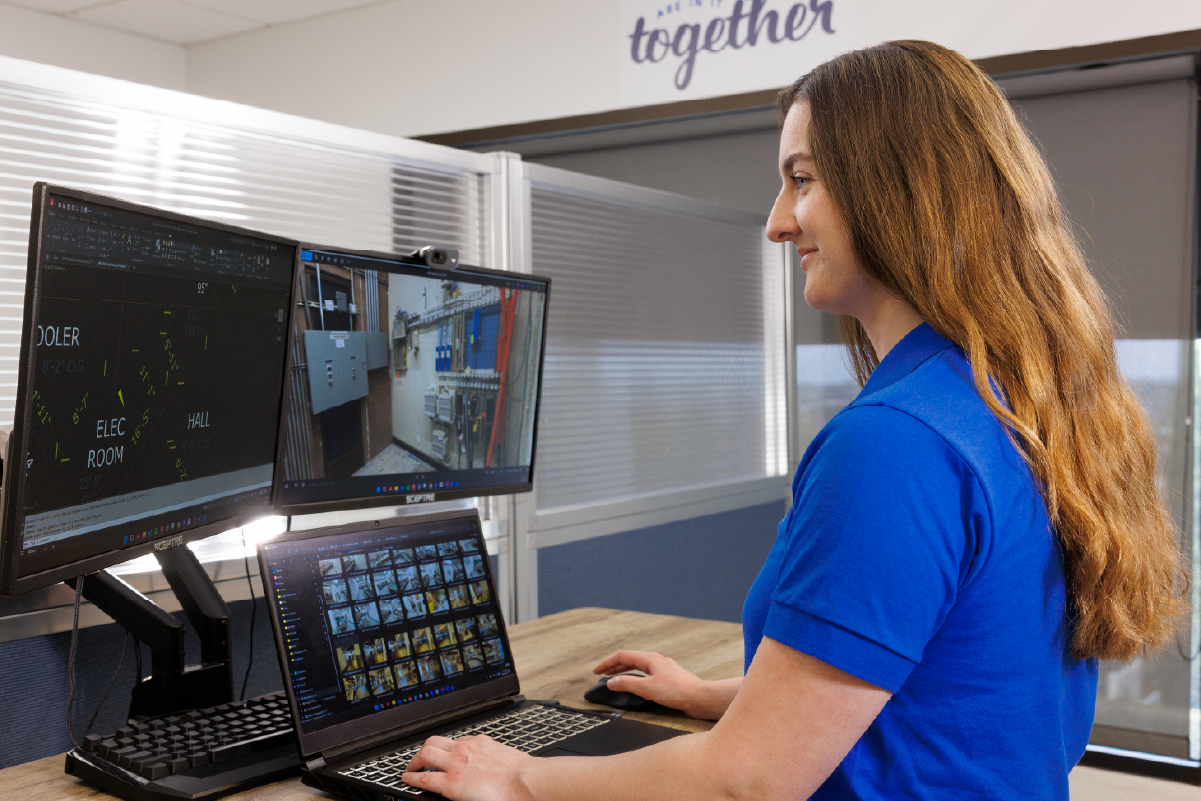
PPM combines advanced LiDAR laser scanning, professional surveying standards, and a rigorous QA process to ensure every deliverable, in any platform, is precise, consistent, and reliable.
You receive:
- Accurate As-Built plans and models created from verified field data
- Clean, standardized files built to your preferred templates
- Guidance on selecting the right platform for your project goals
- Reliable documentation that reduces risk and prevents rework
With thousands of successful projects delivered nationwide, PPM provides a foundation your team can build on with confidence.
Choose the As-Built Software That Fits Your Project
PPM delivers high-quality As-Built drawings and models in AutoCAD, Revit, Archicad, and SketchUp. Whether your project requires 2D accuracy, BIM coordination, or fast conceptual modeling, we will help you select the right format and deliver precise, reliable data you can trust. Get accurate drawings and models your team can rely on.